
Best LLMs for Coding: Which AI Tools Can Actually Help Your Development Team?


⏱ 18 min read
Ask five engineers to name the best LLM for coding and you get five answers, each backed by a different leaderboard screenshot. The honest position in 2026 is that no single model wins outright. The best LLM for coding is the one that fits your stack, your review process, and the kind of work your team actually ships to production.
This guide skips the vendor hype. It walks through current models and prices (as of October 2026), how to work with Shopify Dev MCP, the Shopify CLI and human sign-off on Shopify projects, and then the best LLM for coding across closed and open models, the best local LLM for coding you can self-host, how the benchmarks really work, and the uncomfortable evidence on whether any of it makes your developers faster.

What Actually Makes the Best LLM for Coding
Writing a clean function and shipping a feature inside a live codebase are different skills, and the same model is rarely best at both. The best LLM for coding for a throwaway script is not the model you want loose in a million-line monorepo. Four capabilities separate a serious coding model from a demo, and together they decide the best LLM for coding for a given team.
- Agentic issue resolution. Can it read a repository, locate the bug, and produce a patch that passes the existing tests, not just a plausible snippet.
- Long-context comprehension. Whether it holds a large codebase in working memory without losing the thread halfway through.
- Harness and tool use. How well it drives a shell, a test runner, and a file system, because the scaffold around the model often moves results more than the model choice.
- Language coverage. Real strength in your stack, not just Python, where most benchmarks live.
AI assistance has moved from novelty to default. In Stack Overflow’s 2025 survey, 84% of developers said they use or plan to use AI tools, up from 76% a year earlier, and 51% of professional developers now reach for them daily.
Developers are leaning in to learn, too. The same 2025 results show 44% picked up new techniques with AI-enabled tools this year, up from 37% in 2024. The tools are now part of how people work and how they upskill.
Adoption is near universal, so the question is no longer whether to use a coding model. It is which model, in which harness, for which task, and how much review time you budget to catch what it gets wrong.
How to Read Coding Benchmarks Before You Trust Them
Most rankings you see come from vendor launch posts, and vendor benchmarks tend to flatter the vendor. Independent, reproducible tests matter more, and each measures a different skill. Read the axis before you read the score.
The table below shows the four benchmarks worth knowing and what each one actually tells you. Treat them as a panel, not a single trophy, because no one score names the best LLM for coding on its own.
| Benchmark | What it tests | Why it matters |
|---|---|---|
| SWE-bench Verified | Fixing 500 real, human-checked GitHub issues | Closest proxy for shipping work |
| LiveCodeBench | Fresh contest problems, contamination controlled | Reasoning, not memorised answers |
| HumanEval | Writing a function from a docstring | Largely saturated, weak signal now |
| Terminal-Bench | Multi-step tasks in a command line | Agentic tool use under pressure |
The most watched of these is SWE-bench Verified, a 500 issue subset that human annotators confirmed as solvable with clear tests. It is the closest public stand-in for the work a real engineer does, which is why frontier launches quote it first.
A high benchmark score is not a guarantee. Studies have flagged memorisation and harness effects, so a model can look brilliant on paper and mediocre in your repo. Verify on your own code before you commit a team to it.
The Best LLM for Coding: Closed Frontier Models
At the top of the SWE-bench Verified leaderboard, three families trade places: Claude from Anthropic, GPT from OpenAI, and Gemini from Google. The order reshuffles with almost every release, and the only reliable place to read exact percentages is the leaderboard itself.
Treat any single number as a snapshot with a short shelf life. In practice, the harness you run a model in, and your routing between models, move the outcome more than two benchmark points ever will. That is the part your team actually controls.
The grid below is a stable way to think about the best LLM for coding among closed models, without chasing this week’s decimal places.
| Family | Typical strength | Watch out for |
|---|---|---|
| Claude | Deep agentic fixes, long sessions | Cost on heavy usage |
| GPT | Broad tooling, strong ecosystem | Version sprawl |
| Gemini | Fast frontier work, huge context | Uneven on niche stacks |
Adoption tracks this at the tooling layer too. Anthropic’s Claude Code already showed up as a named IDE in the Stack Overflow data at 10% usage in its first year, a sign of how fast the closed frontier is reaching real workflows.
Which Models Are Current? (as of October 2026)
The family grid above stays stable, the concrete model names do not. According to the vendors’ own documentation (as of October 2026), the current line-up looks like this. If you are comparing models for the whole company rather than for coding alone, our LLM comparison for business helps.
| Vendor | Current models per the vendor | API price per 1M tokens (input / output) |
|---|---|---|
| Anthropic | Claude Opus 5.5 (long-running agentic coding), Claude Sonnet 5.5, Claude Haiku 5.5, Claude Fable 5.1 (demanding reasoning and long-horizon agentic work) | Opus 5.5: $4 / $20. Sonnet 5.5: $2 / $10. Fable 5.1: $10 / $50. Haiku 5.5: from $0.10 / $0.50. Context window 1M tokens each. |
| OpenAI | GPT-6 Astra (per OpenAI its most capable model for the most demanding work), GPT-6.1 Sol, GPT-6 Luna | Astra: $10 / $50. Sol: $2 / $10. Luna: $0.10 / $0.50. |
| Gemini 4 Argon (flagship), Gemini 3.8 Flash (per Google built for long-horizon software engineering and agents) | Argon: $2 / $10 through Nov 30, 2026, then $4 / $20. Gemini 3.8 Flash: $0.75 / $3.75 through Dec 31, 2026, then $1.50 / $7.50. |
Prices within one family are far apart (at Anthropic, from $0.10 to $10 per million input tokens), so routing between a large and a small model saves real money. Because prices move fast, as the time-limited Argon pricing shows, check the vendor’s pricing page before any budget decision.
The Best Open Source LLM for Coding
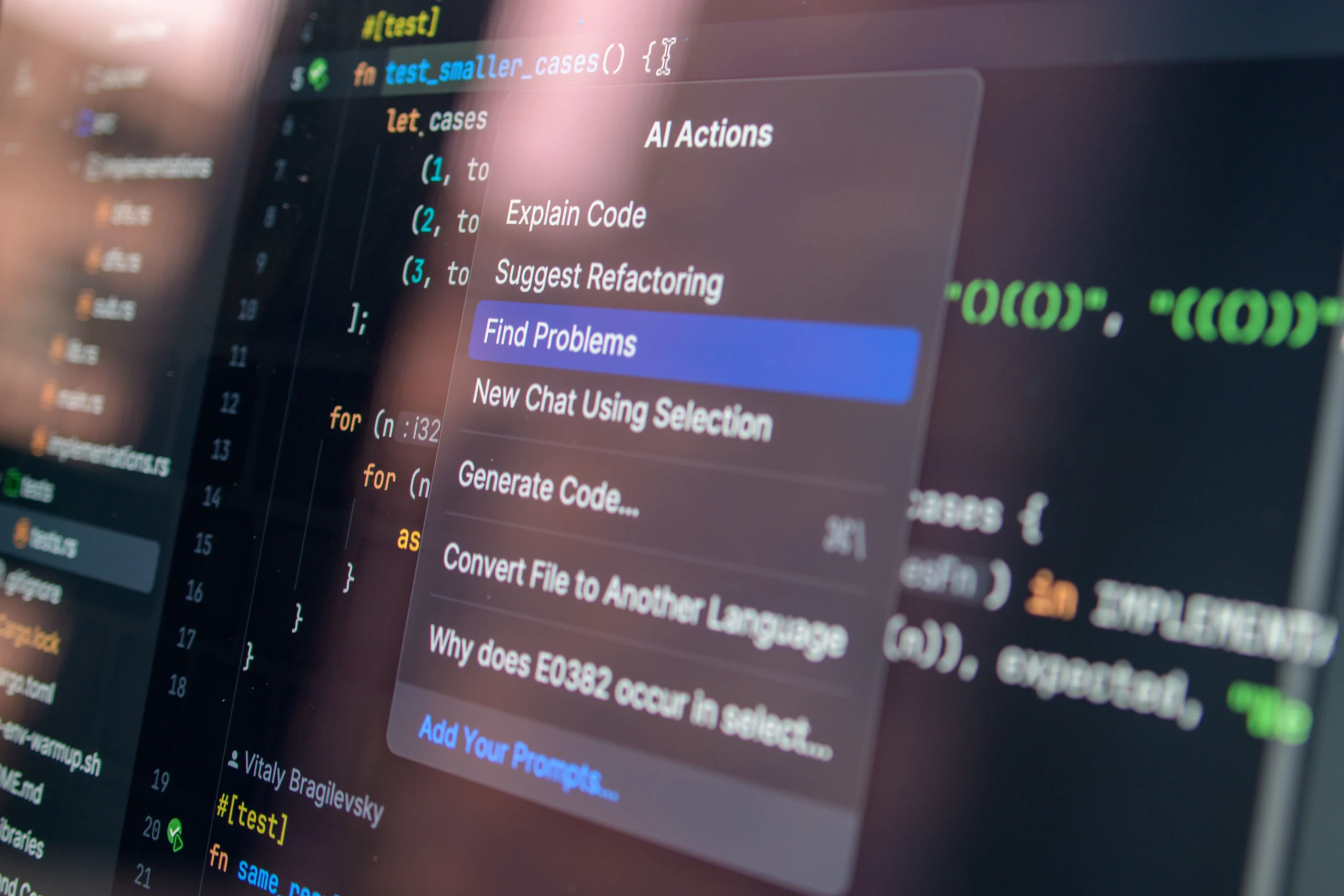
The open-weight field caught up faster than most people expected, and the strongest models now often sit close to the closed frontier on public leaderboards. For many teams the best LLM for coding is now an open-weight model they can host themselves, not a paid API. The catch is licensing, which decides whether you can actually ship it.
Most popular “open” models are open-weight, not fully open source: you get the weights, not the training data. For a commercial product the licence matters more than the label, and Apache 2.0 or MIT are the cleanest.
| Model family | Licence type | Best for |
|---|---|---|
| Qwen3-Coder | Apache 2.0 | General agentic coding |
| DeepSeek | MIT (current model cards, e.g. V3.2) | Reasoning-heavy problems |
| Devstral Small | Apache 2.0 | Single-GPU coding agents |
| Codestral 22B | Mistral Non-Production License (no production use) | Fast inline completion |
“Open weight” is not the same as “open source”. Codestral and some Llama builds carry usage caps you must read before shipping, while Qwen3-Coder and Devstral Small ship under Apache 2.0. Check the model card, not the marketing.
The Best Local LLM for Coding by Hardware Tier
Two answers pull in opposite directions here. One is the model that scores highest, the other is the model that fits in your VRAM. The best local LLM for coding is the largest code-specialised model that leaves room for context on the hardware you own.
As a rule of thumb, the table maps realistic model sizes to common GPU tiers. Numbers assume 4-bit quantisation, so leave headroom for the context window on top.
| Hardware | Realistic model | Best for |
|---|---|---|
| 12 GB VRAM | 7B distilled coder | Autocomplete, small repos |
| 16 GB VRAM | Codestral-class 22B | Fast inline completion |
| 24 GB VRAM | 24B to 27B agent model | Daily driver, single GPU |
| 40 GB and up | 70B or multi-GPU | Larger local models, higher quality |
On a single 24 GB card, the best LLM for coding you can realistically run is a 24B agent model with room for context. Tooling has become boring in the best way. Ollama, llama.cpp, and vLLM turn a downloaded model into a working endpoint, and a local setup keeps proprietary code off third-party servers. That privacy angle is why regulated teams look at local llm for coding at all.
Do not chase the biggest model your card can barely load. A 24B agent model with room for a long context usually out-ships a cramped 70B that runs out of memory the moment your repo grows.
Best AI Coding Assistant: The Model Is Only Half the Job
The model is the engine. The assistant around it is the car, and a great engine in a bad car still loses the race. The best LLM for coding still needs a harness that can read your files, run your tests, and apply patches cleanly.
The most used AI coding assistant tools split into two styles: inline autocomplete and agentic edit-and-run. Picking the best AI coding assistant is really about which style fits how your team works, not which one has the flashiest demo.
| Tool | Primary style | Best for |
|---|---|---|
| GitHub Copilot | Inline plus chat | Broad, low-friction default |
| Cursor | Agentic IDE | Multi-file edits, refactors |
| Claude Code | Terminal agent | Repo-wide autonomous tasks |
| Windsurf* | Agentic IDE | Guided flows, newer teams |
The market still has two clear entry points. According to the Stack Overflow 2025 Developer Survey, ChatGPT (about 82%) and GitHub Copilot (about 68%) lead the out-of-the-box tools among developers who use AI agents. In the survey’s IDE results, roughly 18% of respondents name Cursor, 10% Claude Code and 5% Windsurf as editors they use regularly, so the figures come from different groups and are not directly comparable. Whichever you pick, the best LLM for coding only pays off inside an assistant that runs your tests and applies patches cleanly.
What the Coding Tools Cost (as of October 2026)
This is the state according to the official pricing and docs pages.
| Tool | Plans and monthly prices | Worth knowing |
|---|---|---|
| GitHub Copilot | Free $0, Pro $10, Pro+ $39, Max $100 | Agent mode on every plan. Code review and cloud agent from Pro. Usage is billed in “GitHub AI Credits” (1 credit = $0.01). |
| Cursor | Free $0, Plus $8, Premium $30, Super $100, Ultra $200, Teams from $30 per user | Third-party models are billed separately at API list price. Allowances refresh weekly. |
| Claude Code | Access via a Claude subscription or an Anthropic Console account | Runs in the terminal, VS Code, JetBrains, the desktop app and on the web. Current subscription prices are on claude.com/pricing. |
| Codex (OpenAI) | Part of ChatGPT; which plans include it is listed on the ChatGPT pricing page | Available in the ChatGPT app, on the web, as a CLI, as an IDE extension and as Codex Cloud. |
*Windsurf still appears in many comparisons. As of October 2026, windsurf.com redirects to devin.ai, so check the product name and pricing there before you plan around it.
Best Free LLM for Coding: What Is Realistic
Free always means limited or paid for in another way. These are the three realistic routes (as of October 2026):
- GitHub Copilot Free. $0, with limited chat and agent usage and 2,000 inline suggestions per month.
- Gemini API free tier. Gemini 3.8 Flash is free to use there. Google notes, however, that free-tier content may be used to improve its products. Never send client code or credentials this way.
- Local models. Free to run, but you pay in hardware and upkeep. The local section above shows which size fits which card, and our guide to the best local LLM on your own hardware goes deeper.
The Best LLM for Shopify Development: Liquid, Themes and Apps
The same rule applies to web developers as everywhere else: the model alone does not decide the outcome, what it knows about your store and how you review its output do. Shopify code has three quirks that tend to trip up a general coding model: Liquid as the template language, themes built from JSON templates and sections, and a GraphQL Admin API whose schema keeps evolving. This section shows how to put an LLM to sensible use for them.
What AI Is Good For in Shopify Projects
Good candidates are tasks with a clear outcome you can verify in minutes:
- Liquid and theme customisation. Liquid is Shopify’s template language, which themes use to insert store content such as product titles and prices. New sections and snippets, metafield output or small behaviour changes in an existing theme are easy to delegate.
- GraphQL queries and scripts. Admin API queries, bulk updates and data migrations, always on a development store first.
- App scaffolding. Per Shopify,
shopify app initcreates a React Router app with authentication for the GraphQL Admin API already in place. The model can build features on top of that. - Tests, refactoring and documentation. Work where the expected behaviour is already fixed.
Less suitable is anything that moves money or data without a human looking at it: checkout-adjacent logic, discount rules, tracking, and any change made directly on the live theme.
Shopify Dev MCP and the AI Toolkit: Feed the Model Current Docs
The Shopify Dev MCP helps when training data is out of date. It is an MCP server that gives AI tools access to Shopify’s developer resources. According to Shopify it runs locally and needs no authentication (as of October 2026). For Claude Code, one command is enough:
claude mcp add --transport stdio shopify-dev-mcp -- npx -y @shopify/dev-mcp@latest
Shopify also documents the setup for Codex CLI, Antigravity CLI, Cursor and VS Code. On top of that there is the Shopify AI Toolkit, which, per Shopify, can be installed as a plugin, as agent skills or through the Dev MCP. According to Shopify it can:
- Search documentation and API references so the model works from current material.
- Validate code: GraphQL queries, Liquid templates and Shopify extensions are checked against Shopify schemas.
- Prepare and run store tasks through the authenticated Shopify CLI. You decide when each action runs.
The Dev MCP itself needs no login, but the AI Toolkit’s store management uses your Shopify CLI authentication. Give an agent only the permissions the task needs. Shopify itself stresses that migrated extensions still need your review and testing.
The Shopify CLI as a Guardrail for AI Code
The Shopify CLI is what turns an AI draft into something reviewable. It requires Node.js 22.12 or higher and Git 2.28.0 or higher, per Shopify. These commands map the workflow:
| Command | What it does | Role in the AI workflow |
|---|---|---|
| shopify theme dev | Uploads the theme to the store as a development theme and previews it | See AI changes without touching the live theme |
| shopify theme check | Theme Check lints Liquid and JSON for errors and departures from best practice | Automatic first reviewer |
| shopify theme share | Uploads the theme as a new unpublished theme | A review link for colleagues or clients |
| shopify theme publish | Makes an unpublished theme live | The step a human signs off |
| shopify app init / shopify app dev | Creates an app, or runs it locally with an HTTPS tunnel to the dev store | App development without a production store |
Theme Check is, per Shopify, a linter for Liquid and JSON that also flags unknown or deprecated tags, unused variables and performance issues. You can run it on demand, in CI, or through the Shopify Liquid extension for VS Code.
Which Model for Which Shopify Task?
I deliberately name no winner: common benchmarks barely cover Liquid themes and Shopify apps. A better approach is your own test with five real tickets from your backlog, such as a new section, a metafield output, a bulk query, a cart bug and a refactor. Let each model work in the same harness and count the review rounds until theme check is green and the preview is correct.
If client theme code must not leave the machine, a local model is an option for routine tasks.
Code Review and QA: AI Writes, a Human Approves
With Shopify code, the most expensive mistake is the one that goes live: a broken cart, a vanished price, a tracking event that stops firing. The DORA 2025 report describes the mechanism: without robust control systems such as automated testing and fast feedback loops, a higher volume of change leads to instability. So define fixed approval stages, and let the AI pass through only the first two on its own.
| Stage | Check | Who decides |
|---|---|---|
| 1. Draft | Change in a preview theme or on the dev store, never on the live theme | AI agent |
| 2. Automation | shopify theme check, linters and existing tests, ideally in CI too | Automatic |
| 3. Diff review | Read every changed line, especially loops, pricing logic, metafields and tracking | Developer |
| 4. Functional test | Product page with variants, cart, checkout entry, mobile, markets and languages | QA (human) |
| 5. Performance | Load time and Core Web Vitals before and after the change | Developer |
| 6. Sign-off | Publish via theme publish; the previous theme stays available as a rollback | Accountable person |
The performance stage is easy to forget. Our Shopify speed audit shows how to check load time systematically.
Rules to Give the Agent
Claude Code reads a CLAUDE.md in your project at the start of every session, which Anthropic describes as the place for coding standards and review checklists. Hooks can also run commands before or after the agent’s actions, for example lint before every commit. Put these rules in:
Sign-off checklist
✅ What an AI agent may and may not do in a Shopify project
- Works only on a branch, a preview theme and the dev store, never directly on the live theme.
- Explains every change in one sentence in the pull request so the reviewer does not have to guess.
- Counts as done only when
theme checkand the tests are green. - Gets no secrets, admin tokens or customer data in the prompt.
- Publishes, deploys or deletes nothing without explicit human approval.
Part of the review itself can be automated. Claude Code offers automatic code review for pull requests through GitHub, and GitHub Copilot includes code review on plans from Pro up (as of October 2026). Treat that as a second opinion. Sign-off stays with a human, because only a human carries responsibility for the store.
If you lack the internal capacity for review and QA, that is where a Shopify agency earns its place: it reviews the AI draft, tests it in the store and publishes only after approval. For larger theme or design overhauls, Shopify website design with an agency is usually cleaner than a string of individual AI patches.
Does an AI Coding Assistant Actually Make Teams Faster?
Here is the finding most vendor pages skip. In a 2025 randomised controlled trial by METR, 16 experienced open-source developers worked 246 real issues in repositories they knew well. They expected AI to speed them up, and it did the opposite.
Before starting, the developers predicted a 24% speed-up. Afterwards they still believed AI had made them about 20% faster. The measured result went the other way: tasks took 19% longer with AI tools allowed.
The perception gap that should worry engineering leaders
Experienced developers, familiar codebases (METR, 2025)
The result is not “AI is useless”. It is a warning about context. The study used early-2025 tools on mature, well-known code, and greenfield work or unfamiliar repositories can look very different. Even the best LLM for coding can slow a team when it is bolted onto work the developers already do fluently.
METR itself now labels that finding as historical and says it may not reflect today’s tools. In a February 2026 update, the org reported that so many developers refused to work without AI that its follow-up trial became hard to interpret. Treat the 19% as a signal about workflow and measurement, not a verdict on current models.
The trust data points the same way. In the Stack Overflow survey, 66% of developers said AI answers are almost right but not quite, and 45% said they lose real time debugging AI-generated code. Speed you feel is not the same as speed you measure.
The team-level picture has shifted, not settled. Google’s DORA 2024 report found that AI adoption had a negative effect on delivery stability and throughput, as larger AI-generated changes strained review and testing.
A year later the DORA 2025 report reversed the throughput finding: AI adoption now correlates with higher throughput and better product performance, while the negative effect on delivery stability held. Speed can rise as reliability slips, so both need watching, not just the number in the press release.
Measure it. Run a small holdout on one team or one sprint, with and without the assistant, and compare cycle time and review load. Ship the tool because a number moved, not because it felt fast.
Here is a minimal template for that holdout. Track three numbers across both arms, before and after, so you are reading the delivery system and not the vibe.
| Metric | How to measure it | Healthy signal |
|---|---|---|
| Cycle time | First commit to merge, median | Falls, not just feels faster |
| Defect rate | Merges needing a hotfix in 14 days | Flat or lower |
| Review load | Median PR review time and size | Not ballooning |
How to Choose the Best LLM for Coding for Your Team
There is no universal winner, so choosing the best LLM for coding comes down to four constraints: data sensitivity, budget, task mix, and how much review capacity you have. Score those honestly and the shortlist writes itself.
Quick pick
🧭 A 60-second selection scorecard
- Is your code covered by strict data or compliance rules? Lean local or self-hosted.
- Is per-seat or API cost a hard ceiling? Lean open-weight over frontier APIs.
- Is the work mostly deep, multi-file changes? Lean frontier closed models.
- Is the work mostly fast inline completion? Lean an autocomplete specialist.
- Is review capacity thin? Buy fewer tokens and more human review time.
Mapped onto real priorities, that gives a clean starting point rather than a single name.
Worked example (illustrative)
How a team could use the scorecard
Suppose a 15-engineer team is working on a Shopify Plus build. On the scorecard it lands on: compliance medium, a hard budget ceiling, work that is mostly multi-file features with heavy inline editing, and thin review capacity. That mix points away from one tool for everything toward two: a frontier model for complex pull requests and an autocomplete specialist in the editor.
Whether the combination helps only shows in a two-sprint holdout that tracks the three metrics above. The typical risk: cycle time falls while review time and hotfixes rise. That is the exact stability tax the DORA data describes, and Faros AI telemetry across 22,000 developers shows a related pattern: 31% more pull requests merging with no review at all.
The obvious countermeasure is cheap: a required review gate for AI-heavy PRs. Whether cycle time then stays lower and the defect rate recovers is, again, something you measure. One tool would hide that trade-off; the scorecard plus a holdout makes it visible.
For product teams, this decision often overlaps with a bigger one: build in-house or bring in specialists. Many Shopify brands weigh AI-assisted development against dedicated Shopify experts who ship reviewed, production-ready code rather than fast first drafts.
Common Mistakes Teams Make with AI Coding Assistants
The tools are powerful, but the default rollout, give everyone a licence and assume output goes up, is where most of the value leaks away. These are the patterns that turn a productivity tool into technical debt.
- 🎯 Treating generated code as production-ready instead of a first draft that needs review.
- 🧭 Adding no review budget, so the time saved writing gets spent debugging later.
- 🔒 Pasting secrets or proprietary code into third-party models with no policy.
- 📉 Measuring lines of code shipped instead of outcomes and defect rates.
- 🧪 Rolling out with no holdout, so nobody can prove the tool actually helped.
- 🧱 Forcing one model onto every task when no single best LLM for coding covers them all.
The Short List, Not the Silver Bullet

The best LLM for coding is a short list, not a single name. Frontier closed models for depth, open-weight coders when cost or hosting rules, a local model when privacy is non-negotiable, and an autocomplete specialist for speed in the editor. Most mature teams run more than one and route between them.
What decides the outcome is not the model at the top of this month’s leaderboard. It is the harness you run it in, the review time you fund, and whether you measure real cycle time instead of the feeling of speed. Get those right and the best LLM for coding for your team becomes a dropdown, not a debate.
Engineering is only half of growth. The same AI wave changing how you build is changing how buyers discover you, which is why growth teams now pair shipping with AI search optimisation. If you would rather ship reviewed features than babysit a coding agent, that is where a specialist team earns its place.
Shipping features an AI drafted, and want them production-ready?
Turn fast AI drafts into reviewed, production-ready storefront code.
Build with us →Custom apps and integrations your team cannot spare the cycles for.
Scope my app →A rebuild needs judgement an assistant cannot supply on its own.
Plan my relaunch →Frequently Asked Questions
There is no single winner. The best LLM for coding is a short list matched to your task: frontier closed models like Claude, GPT, or Gemini for deep fixes, open-weight coders such as Qwen or DeepSeek when cost matters, and a local model when privacy is non-negotiable.
For teams watching spend, an open-weight coder you self-host usually wins. Which LLM is best for coding on a budget depends on your GPU: a Qwen3-Coder or Devstral Small model sized to your VRAM gives good quality with no per-token bill, though you take on hosting and maintenance in return.
The strongest open-weight families are Qwen3-Coder, DeepSeek, and Devstral. For a commercial product, favour Apache 2.0 or MIT licences and read the model card, since open weight does not always mean you can ship it freely. Do not rely on leaderboard gaps; test on your own code.
A 24 GB GPU runs a 24B to 27B agent model comfortably, the sweet spot for a daily driver. Smaller 7B coders fit in about 12 GB for autocomplete, while 70B and larger models need multiple GPUs. The best local LLM for coding is the biggest one that still leaves room for context.
It depends on style. GitHub Copilot remains the low-friction default, Cursor suits multi-file agentic edits, and Claude Code handles repo-wide terminal tasks. The best AI coding assistant is the one whose workflow matches your team, since the harness around the model often matters more than the model itself (as of October 2026).
Not automatically. A 2025 METR randomised trial found experienced developers were 19% slower with AI on familiar codebases, even though they felt about 20% faster. Gains depend heavily on context, so measure cycle time and review load on your own team rather than trusting the feeling of speed.
Only with a clear policy. Sending code to a third-party API can expose secrets and intellectual property, so many regulated teams self-host a local model instead. Set rules on what may be pasted, strip credentials, and prefer providers with no-training and data-retention guarantees before letting an assistant touch sensitive repositories.
Usually more than one. Most mature teams route between models: a frontier model for hard, multi-file work, a cheaper or local model for routine edits, and an autocomplete specialist in the editor. No single best LLM for coding covers every task, so an escalation path beats forcing one model everywhere.
There is no universal winner, because common benchmarks barely cover Liquid themes. Test candidates on five real tickets from your backlog in the same harness and count the review rounds until shopify theme check is green. The Shopify Dev MCP gives the model current Shopify documentation while it works.
The Shopify Dev MCP is an MCP server that gives AI coding tools access to Shopify’s developer resources. According to Shopify it runs locally and needs no authentication. Shopify documents the setup for Claude Code, Codex CLI, Antigravity CLI, Cursor and VS Code (as of October 2026).
Two widely available options are GitHub Copilot, whose plans from Pro up include code review, and Claude Code, which offers automatic code review on pull requests through GitHub (as of October 2026). Treat both as a second opinion: a human should still approve the merge, especially for Shopify theme and checkout code.
Yes, with limits. GitHub Copilot Free offers limited chat and agent usage, the Gemini API free tier covers Gemini 3.8 Flash, and local open-weight models cost nothing to run beyond hardware (as of October 2026). Google says free-tier content may be used to improve its products, so never send client code there.
Vladyslav Kharkivskyi


