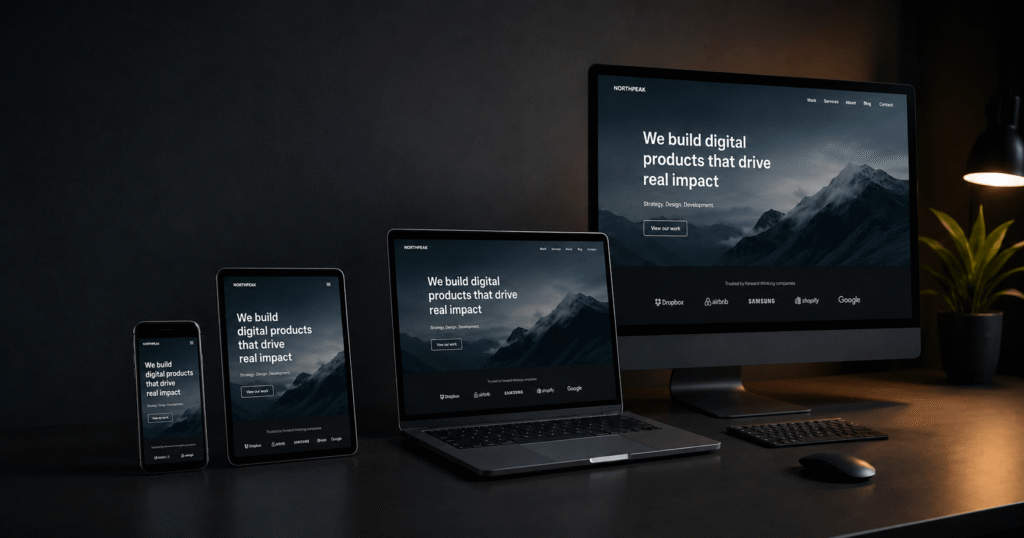
Mobile Friendly Web Design: E-Commerce UX That Converts


⏱ 10 min read
Most stores do not have a mobile problem because the screen is smaller. They have a product-finding problem. Mobile friendly web design only starts with responsive layouts; the real job is helping shoppers move from category to product to checkout without hesitation, thumb gymnastics, or the digital equivalent of a hedge maze.
That matters even more in Europe, where desktop still has enough share to tempt teams into designing desktop-first and shrinking it later. According to Statcounter, mobile now drives the larger share of web traffic globally, while Europe remains more balanced. That nuance matters because many stores still treat mobile as secondary, even when it handles a large share of browsing, comparison, and first-touch intent.
The result is predictable. Weak mobile ecommerce navigation, vague menus, poor filters, cluttered product pages, and awkward checkout flows quietly leak revenue. The fix is not more polish. The fix is a clearer structure, fewer dead ends, and faster decisions at the moments that actually move conversion.
Why Mobile Friendly Web Design Still Leaks Revenue in European e-commerce
A mobile-friendly online store should not merely shrink to fit a smaller screen. It should help shoppers find products quickly, compare options with less effort, and complete checkout without irritation. That sounds obvious. It is also where many stores fall apart.
Eurostat reports that a large majority of EU internet users already buy online. That makes mobile friction a revenue problem, not a design preference. If users cannot understand the menu, trust the filters, or move through the checkout smoothly, the store does not feel premium. It feels tiring.
The mistake is usually structural. Teams redesign the header, swap icons, or add a sticky bar, then wonder why conversion barely moves. But mobile ecommerce UX is a chain. If taxonomy, search, filters, product-listing pages, product pages, and checkout do not work together, a prettier menu just hides the problem more elegantly.
Build the Category Structure Before you Redesign the Menu
Teams love redesigning menus because menus are visible. Category logic is less glamorous, so it often gets ignored. That is backwards. If the catalogue structure is weak, even the neatest ecommerce mobile menu design still sends users into dead ends.
Good mobile navigation design is broad before it is deep. Put real product categories at the top level, use labels people recognise instantly, and give shoppers a clear “View all” path where broad browsing makes sense. Baymard’s navigation research repeatedly shows that category structure is one of the biggest differences between stores that feel easy and stores that feel needlessly complicated.
- Put product categories first, not promotional clutter, account links, and brand filler.
- Use plain labels based on how customers shop, not how the internal team talks.
- Keep hierarchy shallow enough that users do not need a mini expedition to reach products.
- Add “View all” routes where shoppers may want to browse before narrowing down.
What Mobile Friendly Web Design Gets Right in the Thumb zone
What mobile friendly web design gets right is not decoration. It is reach, clarity, and confidence. Primary actions should sit where thumbs can reach them, tap targets should not feel tiny or risky, and sticky UI should support progress rather than block content like an overeager sales assistant.
This is where many stores confuse compact with efficient. Small targets, cramped labels, and stacked controls do not feel premium. They feel brittle. Strong mobile menu usability depends on generous hit areas, clear spacing, and visual hierarchy that tells users what matters now. The WCAG 2.2 target-size guidance is useful here for keeping interactive elements practical on smaller screens.

Search and Filters are Part of Navigation, not Extra Features
Search is not a backup plan on mobile. For many stores, it is the fastest route to revenue. Shoppers use it when the menu feels too slow, too vague, or too deep. That means mobile ecommerce navigation should treat search and filters as core wayfinding tools, not optional extras left to whichever app happened to win the budget meeting.
Strong mobile ecommerce UX needs autocomplete that predicts intent, typo tolerance that behaves like it has met a human before, and filters that narrow the list fast. Baymard’s mobile UX benchmark keeps finding the same pattern: weak search, weak filtering, and weak list-page design often break the journey long before checkout gets the blame.
- Show useful autocomplete suggestions with category context.
- Support misspellings, abbreviations, and symbol-based searches.
- Surface essential filters early instead of hiding them behind vague labels.
- Display applied filters clearly so users understand the current result set.
If this layer is weak, users do more backtracking, more re-searching, and more guesswork. None of that improves the mobile shopping experience. It just increases the odds that someone decides your competitor is easier to buy from.
Not sure where the friction starts? Start where users feel it first.
Shopify Website Design
Redesign the mobile journey around clearer paths, stronger UX patterns, and better conversion flow.
Learn more →Website Redesign
Fix structural UX problems instead of treating them as another cosmetic refresh.
Learn more →Collection Pages and Product Pages Must Carry the Journey
Menus only start the trip. Collection pages do the sorting, and product pages do the convincing. If collection pages hide meaningful differences between products, users bounce back to search. If product pages bury variants, delivery, returns, or the add-to-cart button, users hesitate and leave.
A better mobile shopping experience keeps decision-making visible. Shoppers should understand what changed after applying filters, what makes one product different from another, and what they need to do next. Sticky add-to-cart can help, but only if the rest of the page earns that urgency.
| Stage | What weak stores do | What better stores do |
|---|---|---|
| Collection page | Hide filters, show vague thumbnails, and force endless scrolling | Expose key filters early, clarify product differences quickly, and keep sorting understandable |
| Product page | Bury price, variants, delivery, and trust signals below distracting content | Keep core buying information visible and reduce needless backtracking |
| Add to cart | Make the CTA compete with banners, pop-ups, reviews, and sticky widgets | Protect the action path and keep the next step obvious |
This is where mobile friendly web design becomes commercial rather than cosmetic. The design has to help users decide. If it only helps the layout collapse neatly, it is doing half the job.
Mobile Checkout UX is Where Conversion Optimisation Becomes Real
Mobile checkout UX is where nice intentions meet hard numbers. Baymard’s checkout research keeps showing the same pattern: long forms, awkward field design, and unnecessary friction push users out of the funnel. If payment options do not match local expectations, users leave because buying elsewhere is easier.
The best checkout flows reduce effort instead of demanding concentration. Guest checkout should be prominent, form fields should be minimal, keyboard types should match the data being entered, and wallets should appear early enough to matter. Chrome’s recent recap also highlighted stronger checkout conversion when autofill is implemented well on Shopify guest checkouts. That is not a clever trick. It is basic respect for the user’s time.
- Cut unnecessary fields and ask only for data that supports fulfilment, payment, or compliance.
- Use autofill, address prediction, and clear progress states so the flow feels shorter.
- Support relevant wallets and local payment preferences for European buyers.
- Remove distractions once checkout starts; upsells can wait until after the order.
If your store wants stronger mobile conversion optimization, this is one of the fastest areas to improve. Nobody abandons because the menu icon lacked charm. They abandon because checkout feels longer than it should.
Performance is Part of Mobile Ecommerce UX, Not a Separate Project
Users do not separate design from speed. They feel one experience. A laggy menu, delayed product page, or sticky bar that appears late all feel like poor quality, even when the visuals look polished. That is why a Shopify Site Speed Audit often belongs in the same conversation as navigation and checkout.
Recent case studies make the point rather well. Swappie improved mobile revenue after fixing Core Web Vitals, while Ray-Ban improved page transitions and lifted conversion on a key path. Faster navigation is not a vanity metric. It is part of the sales engine.
If implementation is the bottleneck, clean theme work matters too. Overloaded apps, messy templates, and script-heavy menus create UX problems that no design file can fix. That is where Shopify Theme Development Agency support becomes practical rather than theoretical.
Common Mobile Design Mistakes E-commerce Teams Still Make
These mistakes keep showing up because they look sensible in meetings. They just do not survive contact with real users.
- Treating mobile as a smaller desktop instead of a different buying context.
- Hiding category logic behind visual flair and calling it clean.
- Forcing search, filters, and sorting to behave like secondary tools.
- Using sticky bars, pop-ups, and chat widgets until the screen feels like a traffic jam.
- Redesigning the header while ignoring the product list and checkout flow.
The fix is less glamorous and more effective: audit behaviour, identify the highest-friction step, and fix the flow in order. That is what a proper CRO Audit should do. Guesswork feels faster, right up until it gets expensive.
How to Turn a Mobile-friendly Online Store Into a Revenue lever
A mobile-friendly online store should not merely work on phones. It should help users find products faster, compare them with less effort, and check out with fewer interruptions. That means measuring menu engagement, search usage, filter use, product-list drop-off, add-to-cart visibility, and checkout completion instead of staring at bounce rate like it owes you answers.
When the issues are structural, a few surface-level tweaks will not rescue performance. That is the moment for CRO Optimisation Services, Website Redesign Services, or a stronger rebuild through Shopify Website Design Services. The point is not to make mobile prettier. It is to make buying easier, faster, and more obvious.
Mobile friendly web design works when users notice the products, not the friction. That is the standard. Everything else is just a nicer version of the same old problem.
Need a sharper mobile UX strategy? Start with the part that is losing revenue.
Shopify Website Design
Redesign mobile journeys around product finding, clarity, and conversion.
Learn more →Frequently Asked Questions
Mobile-friendly design means a site still works on smaller screens after adapting an existing layout. Mobile-first design starts with the phone experience and scales upward from there. For e-commerce, mobile-first usually produces clearer priorities, better tap targets, and fewer unnecessary elements competing with the buying journey.
The best mobile ecommerce navigation is shallow, predictable, and product-led. Users should see clear category labels, a logical menu hierarchy, obvious search access, and a quick route to broad product lists. If shoppers must keep reopening the menu to understand where they are, the navigation is doing too little.
It is more important than many teams think. On mobile, search often carries a large share of product discovery because it is faster than drilling through layers of navigation. Strong autocomplete, typo tolerance, and useful category context can improve mobile menu usability even when the main navigation is already fairly clear.
The essentials depend on the catalogue, but price, size, colour, availability, ratings, and delivery-related attributes usually matter first. A better mobile shopping experience makes those filters easy to find, easy to combine, and easy to remove. Hidden or confusing filters create friction long before the product page has a chance to sell.
Mobile checkout UX affects conversion because it sits at the highest-intent step of the journey. Fewer fields, better autofill, the right keyboard inputs, clear progress states, and local payment methods reduce abandonment. When checkout feels slow or demanding on a phone, users often leave even after showing strong purchase intent.
Small fixes work when the problems are isolated, such as weak tap targets, missing filters, or a cluttered sticky bar. A redesign makes more sense when the category logic, product-list experience, and checkout flow all create friction together. That usually signals structural issues, not just cosmetic ones in the mobile ecommerce design.
Track more than bounce rate. Useful metrics include menu interaction by item, search usage, zero-results rate, filter usage, product-list drop-off, add-to-cart visibility, and checkout completion. Those metrics reveal whether mobile navigation design helps users move forward or simply hides friction more neatly than before.
Vladyslav Kharkivskyi